A brand film begins with a promise
A useful Artlist AI brand film does more than assemble attractive generated shots. It gives a viewer one clear reason to understand a business differently. The images, edit, music, and voice all need to support that reason. A technically impressive sequence can still fail when nobody can explain what the film is asking them to remember. Begin with a sentence that can survive without a storyboard: this business makes everyday repairs feel possible. That sentence becomes the test for every later creative decision.
This guide develops a fictional project for Alder Repair, a small workshop that restores household furniture. Its proposed film follows an ordinary wooden chair from a dark storage corner to a bright breakfast table. The chair is not magical, expensive, or famous. Its value comes from use, care, and the people who choose to keep it. The campaign line is “A little care. Another chapter.” This is an illustrative production brief, not a real client result or an endorsement by Artlist.
Artlist's official website describes a creative platform that combines AI generation with a stock catalog covering media such as music, sound effects, and footage. Those categories make it relevant to a mixed production workflow. The specific tools, controls, models, access terms, and output options available to an account should be checked on the official product pages before production. The editorial methods below remain useful when individual tools change because they describe decisions that the creator must make, rather than promising a particular button will solve them.
The finished exercise is a short brand film, a vertical introduction, and a silent website loop. These are three edits with related assets, not one export cropped three ways. The main film explains a transformation. The vertical edit makes that transformation immediately legible on a small screen. The website loop establishes atmosphere without needing a complete narrative. Defining those differences now prevents the common mistake of generating beautiful footage that cannot serve the actual placements.
Write a brief that can reject an attractive idea
A creative brief should act as a decision tool. For Alder Repair, the audience is someone who owns a worn piece of furniture and is unsure whether restoring it is worth the effort. The desired response is curiosity about repair, followed by a visit to the workshop's service page. The film is not trying to sell a specific chair. It is showing a way to think about objects that already belong to the viewer.
Write the central tension plainly: replacing something is easy to imagine, while repairing it feels unfamiliar. The film resolves that tension through visible, understandable actions. A loose joint is inspected, a surface is prepared, and a stable chair returns to daily life. The viewer should feel that care is practical rather than precious. This rules out a grand palace setting, a glossy luxury showroom, and an abstract explosion of wood fragments, even if an AI video generator can produce appealing versions of those images.
Define the emotional range with paired instructions. Warm but not sentimental. Skilled but not intimidating. Quiet but not sleepy. Contemporary but not disposable. Each pair helps the team discuss a concrete disagreement. If an editor selects triumphant orchestral music, the group can explain that it exceeds the scale of the story. If a color treatment makes the workshop look abandoned, the group can return to the requirement that repair feel approachable.
Put factual boundaries in the same document. The fictional campaign does not claim that every damaged item can be restored, that repair always costs less, or that a particular process has a measured environmental benefit. For a real business, replace illustrative statements with verified information supplied by the business. Creative clarity improves when the film does not carry claims it cannot show or support. Keep the promise modest enough to demonstrate and specific enough to remember.
Choose the story before choosing the generation tool
Map the chair's journey as a sequence of changes in meaning. In the opening, it is overlooked. In the workshop, it is examined. During the repair, it receives attention. In the final scene, it becomes useful again. Those four states are more valuable than an early list of camera effects because they explain why the viewer is seeing each scene. A slow push toward a chair has no narrative value until its purpose is defined.
A workable first assembly can use six shots. The first reveals a chair beside a box in a dim but believable room. The second shows its loose joint without dramatizing damage. The third introduces the workshop through an organized bench. The fourth concentrates on a careful repair action. The fifth presents the repaired chair in morning light. The sixth widens enough to reveal an ordinary breakfast setting. The exact duration can change in the edit; the relationship between these shots should remain understandable.
Now identify what can be generated, what should be photographed, and what can be sourced. If the chair represents an actual customer object, photograph it rather than inventing its condition. If the workshop has a distinctive space, real footage can establish trust. AI image generation can explore compositions, mood, or an illustrative environment. Stock footage can fill a noncritical atmospheric gap when it fits the story and its permitted use has been confirmed. No asset category needs to carry the entire production.
This division also protects the budget. A generated close shot of hands repairing a joint may demand many attempts and still communicate the wrong technique. A short practical recording could resolve that moment faster. Conversely, a concept frame exploring window placement might be easier to generate than to stage. Treat Artlist AI production as an editorial system in which different sources earn their place by solving specific problems.
Build a visual bible for one ordinary chair
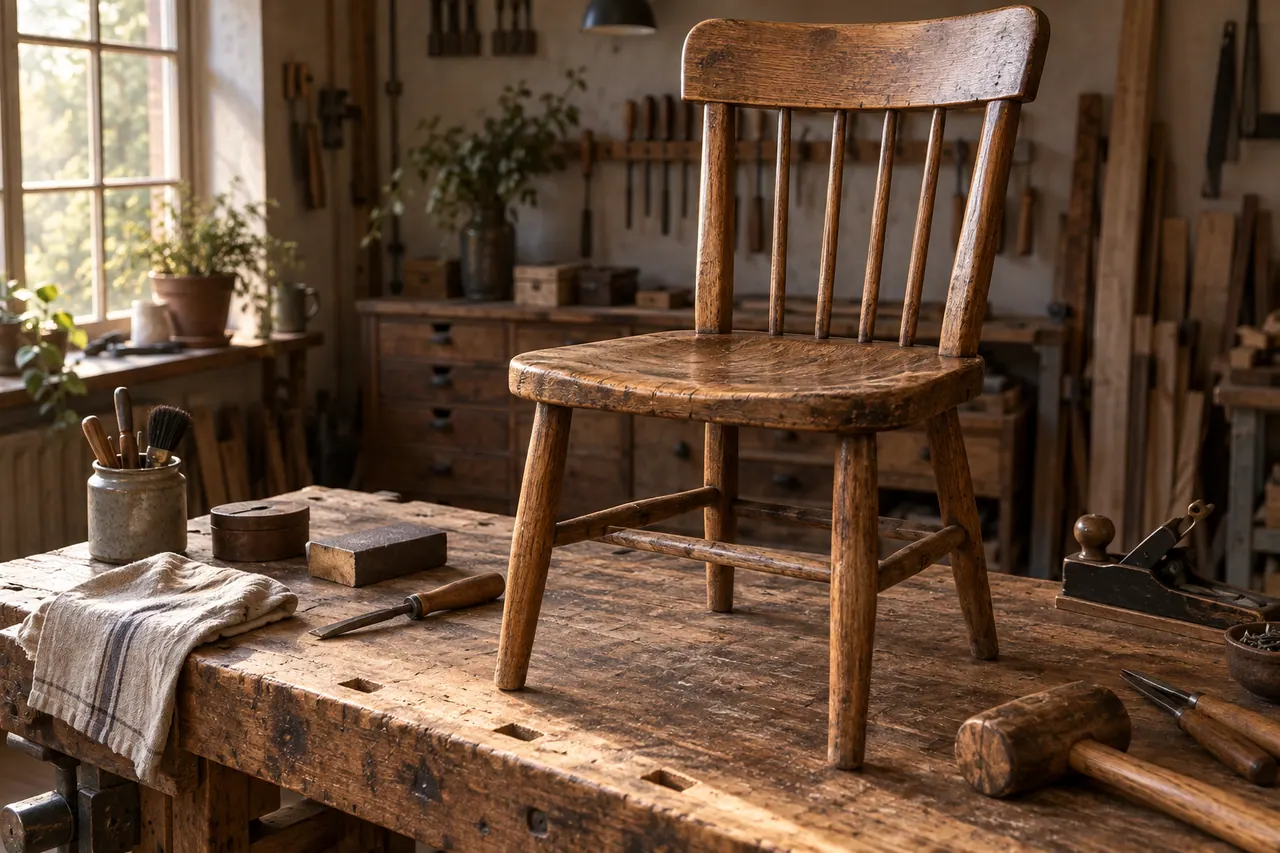
Consistency begins with a description that is stable enough to compare against. The Alder chair has a rounded rectangular backrest, four straight legs, a woven seat, and medium brown wood with a slightly uneven finish. Its rear left joint is loose in the opening scene. The chair has no carved crest, no metal frame, and no decorative upholstery. These details are fictional, but they should be treated as fixed production facts after the design is approved.
Create a small reference sheet with a front view, side view, rear view, and close detail of the seat. If using real photography, keep the camera height and lighting simple so that construction remains visible. If developing an imaginary chair with an AI image generator, choose the clearest candidate rather than the most dramatic. A beautiful angle that hides half the structure is a poor reference for later continuity. The reference sheet should reduce uncertainty, not advertise the concept.
Separate permanent traits from scene conditions. The chair's shape remains constant. Its illumination changes between the storage corner, workshop, and breakfast room. Its surface condition changes only where the story shows repair. The camera position can vary, but the woven seat should not become a solid panel. This separation makes prompt revisions more precise: change the light and setting while preserving the object, rather than asking the model to reinvent the entire image.
Add a short material vocabulary. Wood grain is visible but not exaggerated. The seat has readable woven fibers. The workshop bench is used and maintained. Dust appears only where the action motivates it. Avoid stacking contradictory descriptors such as polished, rough, pristine, distressed, glossy, and matte in the same sentence. The visual bible is successful when a second person can use it to reject a convincing image that nevertheless contains the wrong chair.
Turn the visual brief into an image prompt
An effective Artlist AI image prompt names the scene's purpose through observable details. Start with the subject and action, then describe the environment, composition, light, and essential constraints. The prompt does not need a long list of camera brands or generic quality adjectives. For the opening scene, the most important information is that the chair feels overlooked yet recoverable, with enough visible structure to recognize it later.
Try this illustrative prompt: “An ordinary brown wooden chair with a rounded rectangular backrest, four straight legs, and a woven seat stands beside one closed cardboard box in a quiet storage room. The entire chair is visible in a medium wide composition. Soft daylight enters from a small window on the left. Muted warm neutrals, natural wood texture, believable domestic scale, restrained documentary atmosphere. Leave a simple area of wall above the chair for later editorial typography. No words or logos in the image.”
This prompt is an editorial example, not a report of a generated result. Read it as a set of choices. The closed box supports the idea of storage without clutter. The full chair view establishes identity. The empty wall anticipates a design requirement. The left window creates a direction that can continue across adjacent shots. If the output is too theatrical, revise the lighting description rather than adding a dozen unrelated negative phrases.
For a GPT AI image generator prompt used elsewhere in the same planning process, preserve the same scene logic. Prompt portability comes from clear visual intent, not from assuming identical settings across products. Where reference images are supported, use the approved chair sheet and inspect what the selected tool actually preserves. Keep the prompt and the resulting file together so that the team can distinguish the requested scene from what the model produced.
Make a storyboard that survives imperfect outputs

A storyboard is not a promise that every planned shot will generate exactly. It is a map of what information must reach the audience. Give each panel a sentence describing its job. “The chair has been set aside.” “The joint needs attention.” “A repairer understands the problem.” “The chair returns to everyday use.” If an output fails visually, the team can invent another shot that performs the same job without losing the story.
For the workshop introduction, prepare two alternatives. The first is a medium shot showing the chair beside a tidy bench. The second is a close shot of a pencil mark, a clamp, and the chair leg in the same plane. Both establish thoughtful work. The alternative is useful if a wide generated scene invents distracting furniture or changes the chair's design. Planning an editorial substitute is more efficient than repeatedly demanding one fragile composition.
Include sound and text beneath the panels. A small wooden creak can connect the opening chair to the loose joint. A soft brush sound can lead into the workshop. The campaign line belongs at the end, not across every shot. When text is required, plan to add it with an editing or design tool so that spelling, timing, and placement remain controllable. Generated lettering can be useful for exploration, but a final brand message needs explicit review.
Keep the storyboard rough enough to revise. A grid of six plain frames with clear annotations is often more useful than a highly polished presentation that nobody wants to change. The team should approve the narrative relationships before spending time on final texture, grain, or decorative transitions. This order makes later AI generation purposeful and keeps the production from becoming a gallery of unrelated attractive images.
Design motion as a physical instruction
Moving images introduce new failure modes. A chair that looks coherent in one frame may change proportions during a camera move. A repair action may begin plausibly and end with a tool passing through the wood. Before using an AI video generator, describe exactly what moves and what stays still. The storage shot needs only a gentle camera approach and a small change in window light. It does not need the chair to rotate, bend, or assemble itself.
An illustrative motion prompt might read: “Use the approved storage-room frame as the visual starting point where supported. The camera makes a slow, short forward movement toward the stationary wooden chair. Keep the chair's backrest, woven seat, legs, and orientation unchanged. Daylight remains soft from the left. The box stays still. The scene has a quiet observational pace, with no dramatic reveal and no new objects entering.” Check the actual controls of the chosen model before treating any instruction as enforceable.
For the repair sequence, isolate a single action. A hand gently tests the loose joint, or a brush clears a small amount of dust from the seat edge. Combining inspection, disassembly, sanding, gluing, clamping, and polishing in one short generated clip increases ambiguity. A sequence of simple, readable actions gives the editor more control and makes defects easier to identify. Real footage may remain the better option for a process that needs technical accuracy.
Review the whole clip rather than selecting a flattering thumbnail. Watch the chair's rear legs, the contact between fingers and wood, and the direction of shadows. Pause at the beginning, middle, and end, then play at normal speed. A defect that is invisible in a still frame may dominate in motion. The useful output is the one that remains understandable for its entire planned duration in the edit.
Use stock material with a reason
Stock assets are most effective when they answer a defined need. The Alder film might need a short morning exterior, a neutral room atmosphere, or a subtle wooden impact sound. Search with the intended narrative function and visual constraints in mind. “Quiet residential morning, soft side light, no visible landmark” is more useful than “beautiful cinematic footage” because it helps exclude clips that introduce the wrong scale or location.
Assess whether a stock shot implies a fact. A recognizable workshop exterior could suggest that it belongs to the featured business. A close view of a craftsperson could imply that this person performs the service. For a real campaign, use assets in ways that are accurate and permitted. When a stock image is merely illustrative, do not edit it to imply a specific testimonial or documented repair. A production should not gain visual polish by making its meaning less honest.
Compare movement as well as color. Handheld stock footage may cut awkwardly against perfectly floating generated camera motion. A very wide lens can make a room feel larger than adjacent shots. The answer is not always aggressive grading. Sometimes a simpler asset with compatible framing is a better match. Use a reference frame from the current assembly when auditioning new footage, and assess the transition in sequence rather than judging the clip alone.
Keep a source record beside the edit. Record the asset identifier, where it was obtained, its intended use, and the relevant account or license documentation. Confirm current terms through the official service rather than assuming that every asset category follows the same rules. This practical record helps a team replace an asset later and makes delivery easier when another editor inherits the project.
Let music support the scale of the story
The music brief for Alder Repair is intimate, lightly rhythmic, and hopeful without a dramatic victory moment. The opening needs space for a creak and a quiet room tone. The middle needs enough movement to support work. The ending needs a gentle sense of arrival. These requirements describe structure and emotional function before genre. A track labeled acoustic may still feel too busy, while an electronic piece may have exactly the restraint the edit needs.
Audition music against a rough sequence, even if the pictures are temporary. Listen for where an instrument enters, where the arrangement becomes dense, and whether an ending can land naturally beneath the campaign line. Avoid choosing a track solely because its first few seconds are appealing. The useful section may occur later, and the best standalone song may compete with the narration throughout the film.
If exploring AI music generation, write a musical brief with tempo feel, instrumentation, density, and emotional direction. For example: “A restrained instrumental cue for a small furniture repair story. Gentle pulse, warm plucked texture, sparse soft percussion, gradual lift without a large climax, space for spoken narration, a calm resolved ending.” This is a creative specification, not a guarantee of a particular generator's output. Evaluate melody, transitions, and unwanted vocal elements in the returned audio.
Keep a version of the edit without music. If the story becomes incomprehensible when the track is muted, the pictures or narration may be doing too little. Music should guide attention and emotion, but it should not conceal missing information. For the website loop, a silent version may be the primary experience. The campaign therefore needs a visual rhythm that can stand on its own.
Write narration that adds something the image cannot
Narration should not describe every visible action. “A chair sits in a room” adds little when the viewer can already see it. The Alder voiceover can instead express the reason for care: “Some things do not need a new beginning. They need a little attention.” The images explain the repair, while the words give it emotional context. This relationship is stronger than asking both channels to deliver identical information.
Draft the script in short spoken units. Read it aloud at the intended pace before generating or recording a voice. Mark natural pauses where a sound or image should take over. A written sentence that looks elegant may require too much breath or create an awkward emphasis when spoken. Revise the wording first; do not assume that changing a voice preset will solve a script with too many ideas.
For this exercise, a restrained final script could be: “It has held a thousand ordinary moments. Then one day, it needs a little care. A closer look. A patient hand. And room for the next chapter.” The words deliberately avoid a technical claim about the repair process. They leave time for the viewer to notice the chair. The campaign line and workshop name can appear visually after the spoken thought concludes.
When using AI voiceover, evaluate pronunciation, pacing, emotional consistency, and the relationship between clauses. Choose an appropriate voice with authorized use rather than imitating an identifiable person without permission. Keep the approved script as the source of truth, and compare the generated audio against it. A polished delivery is not sufficient if a word has changed or a pause alters the meaning of the sentence.
Build the first edit around comprehension
The first edit should answer a simple question: can a new viewer explain what happened? Assemble the six planned shots with temporary sound and the approved narration. Leave decorative transitions out. Watch once without pausing, then write down the story as if you had not seen the brief. If the chair appears repaired before the damage is established, the sequence has lost its causal order. If the workshop arrives too late, the film may feel like an interior design advertisement.
Use a rough timing sheet to compare intention with experience. The opening should last long enough to identify the chair, but not so long that the viewer assumes it is a static advertisement. The joint detail needs enough time to read the problem. The repair action should be clear before the edit moves away. The final table scene should provide resolution without turning into a separate lifestyle montage. These are judgment calls to test with the footage, not universal durations.
Show the assembly to someone who has not participated in production. Ask what the business does, which object they followed, and what they remember at the end. Avoid asking whether they liked the video as the first question. Approval is pleasant, but comprehension is more useful. If they remember only a beautiful room, the transformation needs stronger emphasis. If they assume the workshop sells new chairs, the narrative or closing message needs correction.
Keep a written record of the resulting edit decisions. “Move the joint detail earlier so repair is understood before the workshop reveal” is actionable. “Make it more premium” is not. Specific notes prevent successive revisions from reversing one another and help distinguish a story problem from a visual quality problem. Fix the story with the least expensive change that actually addresses the misunderstanding.
Create a sound world without overfilling it
Sound design gives a small brand film physical presence. The Alder sequence can use room tone, a light chair creak, a brush against wood, a clamp adjustment, and a quiet cup placement near the final table. Each sound belongs to something visible or plausibly nearby. The goal is not to demonstrate a large sound library. It is to make the space feel inhabited and the actions feel deliberate.
Start with the sounds that carry meaning. The creak explains why the chair needs attention. A brief tactile repair sound gives weight to the middle. The final cup suggests ordinary life returning. Place these before adding ambient detail. If every small movement receives a loud effect, the mix becomes fussy and the scale of the story changes. A quiet production can still be vivid when it chooses a few specific details.
Check synchronization carefully. A brush sound that begins before the brush touches the chair can make an otherwise convincing image feel artificial. A heavy impact under a gentle movement misrepresents the action. Generated video and separately sourced sound may need editorial adjustment to agree. Trim, shift, or replace the sound rather than assuming the audience will overlook the mismatch because the scene is short.
Listen on more than one playback device. The narration should remain understandable on ordinary speakers, and small effects should not become startling through headphones. Compare the final mix against the delivery requirements of the intended platform using appropriate metering in the editing environment. Do not infer compliance from subjective loudness alone. Keep a clean narration file and a music-and-effects version when the handoff requires later localization or revision.
Match different visual sources gently
A mixed production can combine generated images, real footage, and stock without pretending that they were captured under identical conditions. The aim is a coherent viewing experience. Begin by comparing exposure, white balance, contrast, and saturation across adjacent shots. The storage room may be darker than the breakfast scene because the story calls for change, but its wood should still belong to the same material family.
Choose one reference frame for the workshop and one for the final room. Match related shots to those references before adding an overall look. If a stock clip contains deep blue shadows while the generated footage uses warm neutral shadows, adjust only as far as the material allows without damaging skin, wood, or highlights. A uniform preset applied indiscriminately can exaggerate differences instead of resolving them.
Inspect texture at normal viewing size. Excessively crisp generated wood can look unlike practical footage even when the colors match. Heavy artificial grain may conceal some differences but can also make a clean brand feel distressed. Use restrained adjustments and compare the sequence in motion. An image that looks perfect at high magnification may appear overprocessed on a phone, where the audience actually encounters it.
Check the final chair against the approved reference sheet once more. Color work should not make it look like a different species of wood or hide the repaired area so completely that the transformation becomes ambiguous. The finish can feel cared for while retaining signs of use. That distinction supports the campaign's promise: continued life for an existing object, rather than replacement by a flawless new one.
Make the vertical version a new editorial argument
A vertical cut needs its own hierarchy. The full chair may occupy too little of the screen when a wide composition is simply cropped. Reframe the story around recognizable details: the curved backrest, woven seat, loose joint, and return to use. If the opening no longer establishes the whole object, add a clear view early enough that the details have context. Recognition should not depend on having watched the main film first.
Move the practical tension closer to the beginning. A visible wobble or a close view of the joint can make the need for repair immediately understandable. The vertical edit can then move quickly to the patient action and final result. This is not a rule that every social video needs an aggressive hook. It is a response to this particular story and the limited space available to explain it.
Place captions and the campaign line where they remain readable within the destination's current interface. Review an actual preview when possible because controls and overlays vary. Use sufficient contrast and sensible line breaks. Avoid covering the chair joint while the narration discusses care, or placing the workshop name over a similarly colored surface. A visually pleasing frame still fails if the information is difficult to read.
Reconsider sound rather than automatically copying the main mix. The shortened edit may cut across a musical phrase or remove the pause that made the narration feel natural. Rebuild those transitions. Check that the first audible moment is clean, the final note resolves, and the message remains understandable with sound muted. The vertical deliverable succeeds when it feels designed for its frame and pace.
Design the silent website loop separately
The website loop has a different job from the campaign film. It provides atmosphere behind or beside page content. It should not demand that every visitor watch from the first frame to the last. Choose a small movement that can repeat without an obvious interruption, such as morning light across the restored chair or a restrained camera drift through the final setting. The sequence should remain calm while the visitor reads.
Reserve visual space for the real website layout. If a headline sits on the left, keep the chair and the brightest detail from competing with that area. Test the actual crop at desktop and mobile widths. A composition with useful negative space in a wide frame may become crowded on a narrow screen. Prepare an alternate still when motion would be distracting, unavailable, or inappropriate for a visitor's preferences.
Export the loop according to the website's technical requirements and test its weight and appearance in context. A large master file is not automatically a good web asset. Inspect loading behavior, the poster frame, and the transition into playback. The poster should communicate the same tone even before the video starts. If the file begins with a dark transitional frame, visitors may see an unhelpful blank rectangle during loading.
The loop should also remain truthful to the service. Avoid a generated workshop scene that looks like a documentary view of a real business unless that representation is accurate. An illustrative atmosphere can work well when the surrounding page makes its role clear. The production gains credibility by choosing a modest, relevant visual rather than implying a larger facility or more elaborate process than the business actually offers.
Organize review so revisions remain meaningful
Separate review into narrative, visual, audio, and delivery passes. During the narrative pass, decide whether the transformation and business purpose are clear. During the visual pass, inspect continuity, object structure, hands, light, and text. During the audio pass, check wording, pronunciation, timing, and balance. During the delivery pass, inspect file specifications, captions, filenames, and destination behavior. Combining every issue into one unstructured conversation makes it difficult to prioritize.
Use frame references or time references when leaving notes. “At the first workshop close shot, the woven seat changes pattern” gives the editor a specific defect to investigate. “The chair feels different” may still be valid, but it needs a location and an observable cause. For generated material, save the rejected candidate and its prompt long enough to understand whether the problem is repeated or isolated.
Group changes by dependency. If the client decides that the closing room should feel less affluent, solve that environment before polishing its color treatment. If the narration changes, revisit timing before final sound effects. This order reduces work that must immediately be repeated. It also prevents teams from mistaking activity for progress when they have made many small adjustments without resolving a central creative disagreement.
Set an acceptance condition for each major problem. A repaired shot is acceptable when the chair retains its approved structure throughout the selected duration. A revised end card is acceptable when the message is readable in the actual vertical preview. Concrete conditions make it possible to finish. Without them, AI generation can become an endless search for a vaguely better version that never changes the film's effectiveness.
Keep a production record that another editor can use
A usable archive contains more than final exports. Save the creative brief, approved script, storyboard, chair reference sheet, selected source assets, prompts, generation notes, edit project, and delivery files. The purpose is not administrative perfection. It is to make a future change possible without reconstructing every decision from memory. A request for a shorter version should not require guessing which generated clip was approved.
Give files names that describe role and status. A name such as alder_workshop_joint_selected_v03 is more useful than final_final_new. Keep exports separate from sources so that an editor does not accidentally use a compressed delivery file as the master input. Record the aspect ratio and intended placement for each version. When the same scene has different crops, the distinction should be visible without opening every file.
Document the origin of material accurately. Label practical footage, stock assets, and generated imagery according to how they were made. Preserve relevant asset references and current usage documentation. If a scene has been composited from multiple sources, keep enough information to identify them. This record supports responsible revisions and avoids presenting a generated exercise as documentary evidence of a particular repair.
Finally, write a short handoff note explaining the creative logic. The opening establishes neglect, the joint explains the problem, the workshop demonstrates care, and the breakfast setting resolves the story. Mention any fragile edit points or required caption variants. Another editor can preserve the campaign more effectively when they understand why the pieces fit together, rather than receiving only a folder of attractive media.
Evaluate the finished film against the original promise
Return to the sentence that started the project: this business makes everyday repairs feel possible. Watch the delivered versions with that promise in mind. Does the main film make care understandable? Does the vertical edit preserve the transformation? Does the website loop support the page without competing with it? These questions are more useful than asking whether the production contains enough AI effects or enough shots.
For a real campaign, choose evaluation measures that match the placement and business objective. A website visitor's next action differs from a social viewer's reaction. Compare results with appropriate context rather than declaring success from one isolated number. This guide does not predict a conversion increase or claim that a particular prompt improves performance. Creative work needs observation, and observation needs a clear question before data becomes meaningful.
Use what you learn to change a specific part of the next production. If viewers understand the repair but miss the business name, revisit the closing information. If they leave before the transformation, inspect the opening clarity and pace. If inquiries reveal confusion about available services, correct the message on the film and landing page. The response should follow the evidence rather than defaulting to a more dramatic visual treatment.
The strongest Artlist AI workflow connects generation to judgment. A prompt creates a candidate, a storyboard gives it a purpose, an edit gives it context, and review determines whether it communicates the intended idea. In the Alder exercise, an ordinary chair becomes a complete brand story through those relationships. The production remains focused because every image, voice, sound, and cut has a reason to be there.
Official sources and further reading
Use these first-party pages to confirm current product access and controls. Creative exercises in this article describe a proposed workflow rather than a claim that every control is available in every plan.